
Configuring your domain for GO54 Cloud Mail
You need to have a domain name registered before you can start creating and managing email addresses for your business. If you do not have a domain name already, click this link to purchase one.
If you have a domain name, you will need to point the domain name via DNS to your GO54 Cloud Mail account. You will have to add a few DNS records to start using your GO54 Cloud Mail.
MX Records
|
Name/Host/Alias |
Time to Live (TTL) |
Record Type |
Priority |
Value/Answer/Destination |
|
@ or leave blank |
3600 |
MX |
10 |
mx001.go54.xion.oxcs.net |
| @ or leave blank |
3600 |
MX |
10 |
mx002.go54.xion.oxcs.net |
|
@ or leave blank |
3600 |
MX |
10 |
mx003.go54.xion.oxcs.net |
|
@ or leave blank |
3600 |
MX |
10 |
mx004.go54.xion.oxcs.net |
SPF Details
|
Name/Host/Alias |
Time to Live (TTL) |
Record Type |
Value/Answer/Destination |
|
@ or leave blank |
3600 |
TXT |
v=spf1 include:spf.go54.oxcs.net ~all |
| _dmarc.wghdemo.com.ng. |
3600 |
TXT |
v=DMARC1; p=reject |
CNAME Records
|
Name/Host/Alias |
Time to Live (TTL) |
Record Type |
Value/Answer/Destination |
|
mail1._domainkey |
3600 |
CNAME |
mail1._domainkey.go54.xion.oxcs.net |
You can also find these records in the Email product page from your client account by following the steps below:
- From your client area dashboard, click on services Menu
- Click on the email hosting product you want to get the records for. You will be redirected to the product page
- On the Product management area, under the overview option, you can click on MX records on the left panel
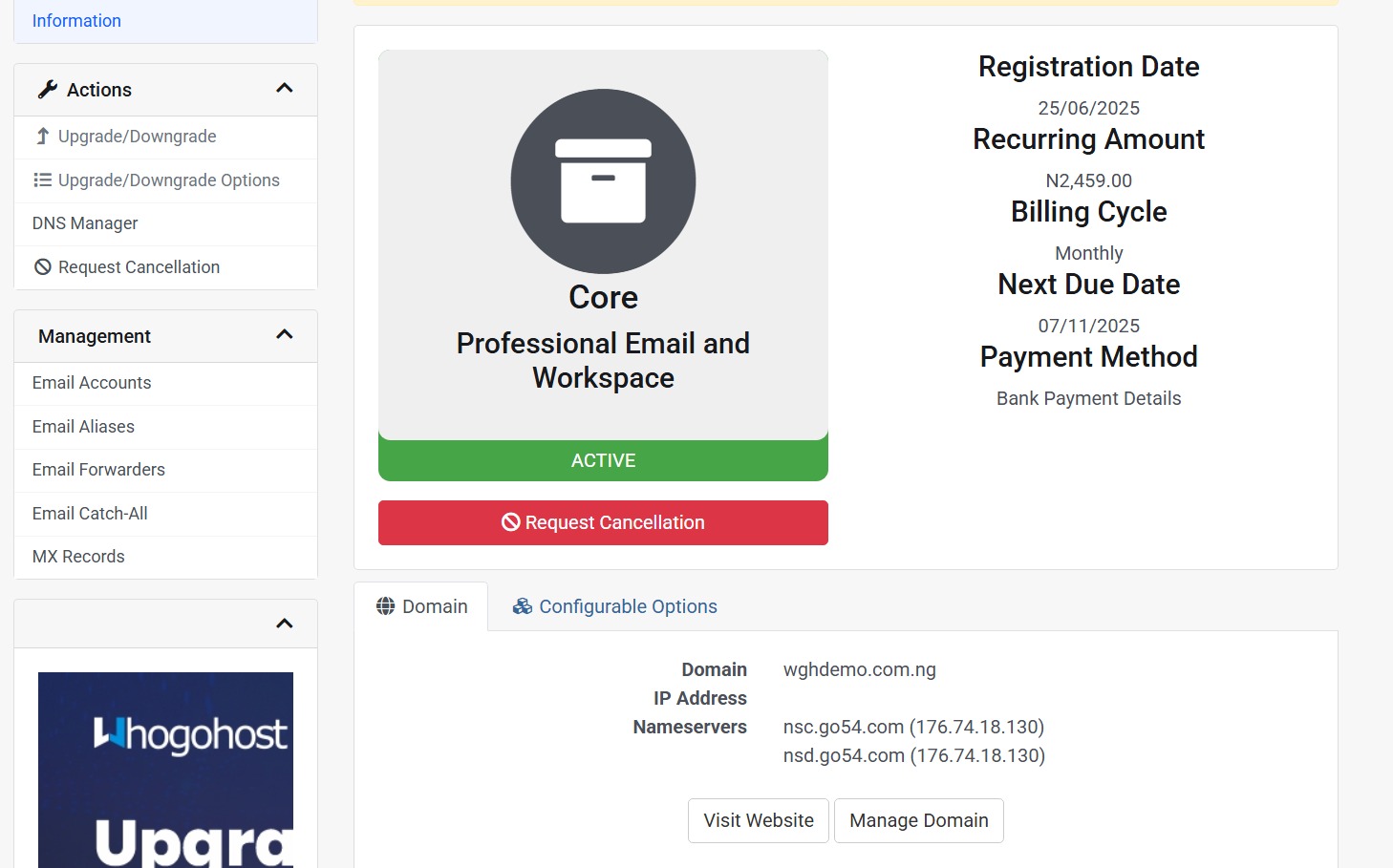
If you do not have a cPanel hosting account and your domain is registered with us. You can click on the DNS Manager option in the Action tab on the Left to add the DNS record to the domain zone.
NB: If you own a cPanel hosting these records should be added to your cPanel zone Editor
You cannot have some emails on cPanel webmail and purchase a Cloud mail with the same domain name to have another set of emails on the Cloud Mail
For example, if you have webmail accounts on a supreme hosting and some are exceeding the storage. Note that if you want to move to the Cloud Mail option, you are required to get the number of email seat to move all your accounts from Webmail to the Cloud Mail service
